




 | Find us on Google+
©2004 Marketing for Profits
Ltd - T/A MfP Website Marketing, Top Floor, 33 Southbourne Grove, Bournemouth, BH6 3QT,
UK.
Reg in England, number 3598244
 Tel: 01202-257423 Fax:
01202-257423 e-mail:
Tel: 01202-257423 Fax:
01202-257423 e-mail:
MfP
Website Marketing Services - based in Bournemouth, serving Poole & Christchurch, Dorset and Hampshire
Set up your email address
Outlook Express 6 Mail Setup
Please note this walkthrough have been provided only in order to
assist you and is intended for use in conjunction with your computer
and Outlook Express 6 Mail Setup.
Setting up a Mail Account
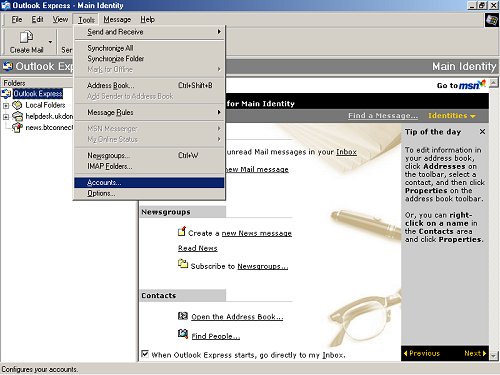
Click on Tools and choose Accounts.
Click on the Add button.
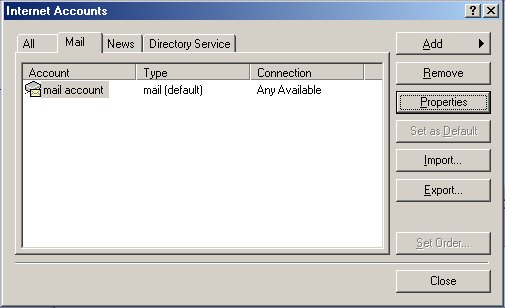
Then click on the Mail option. This will start the Internet Connection
Wizard to set up your new email account.

Type your full name in the the text box and then click Next. (You
might want to add your profession - for example I use "Dr Ian Smith
- Internet Marketing Consultant")
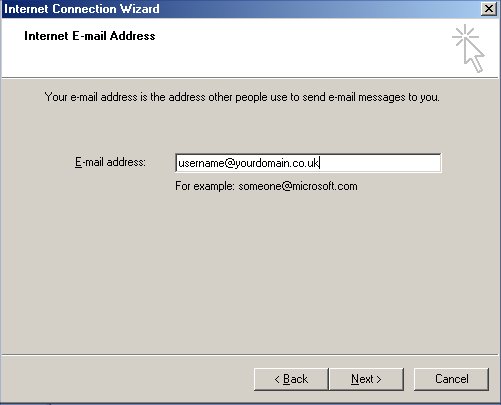
Type your email address into the text box in the form username@yourdomainname.co.uk,
this must all be in lower case.
Click Next.
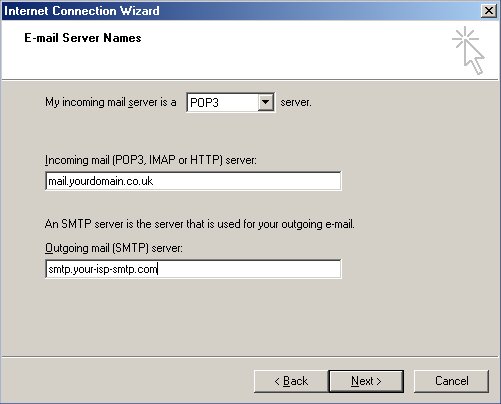
In the Incoming mail (POP3.) field type the mail server for your
mailbox. This might be something like mail.yourdomain.co.uk . This
is the server through which you receive email.
However, you send mail through a different server,
this is the server belonging to the company that provides you with
your connection to the Internet (your "ISP" -
it may be Freeserve, BT, Virgin etc). Therefore, in the Outgoing
mail (SMTP) field you will need to enter your ISP's smtp server details
which will have been given to you (and can be obtained from) your
ISP. (It will be something like smtp.btinternet.com etc depending
on who you connect to the internet with).
Then click Next.
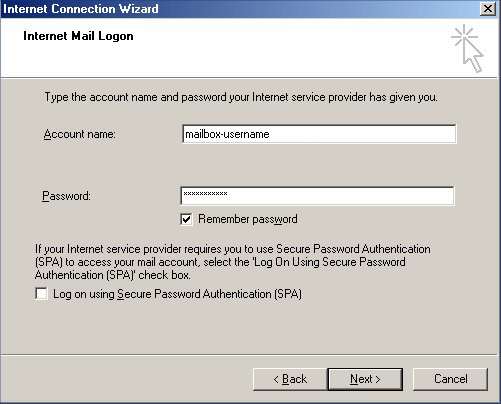
In the Account Name field type your account username.
In the Password field type your password.
If you do not wish to type in your password every time you check
your mail, click in the box to Remember password.
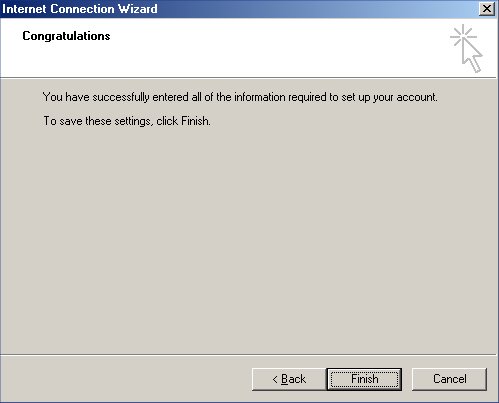
You have now completed setting up your email account.
Click Finish.
Click on Close in the Internet Accounts window.
Now you can click Send & Receive emails using your new account.